🛁 pip换源
经常遇到pip安装慢的问题,解决方法就是换源。国内镜像源包括但不限于1:
# 清华镜像站
https://pypi.tuna.tsinghua.edu.cn/simple
# 中科大镜像站
https://pypi.mirrors.ustc.edu.cn/simple/
# 豆瓣镜像站
http://pypi.douban.com/simple/
# 阿里云
http://mirrors.aliyun.com/pypi/simple/
方法1:临时指定镜像地址
pip命令中添加-i参数,如:
pip install xxx -i https://pypi.tuna.tsinghua.edu.cn/simple
方法2:PyCharm中添加国内镜像站
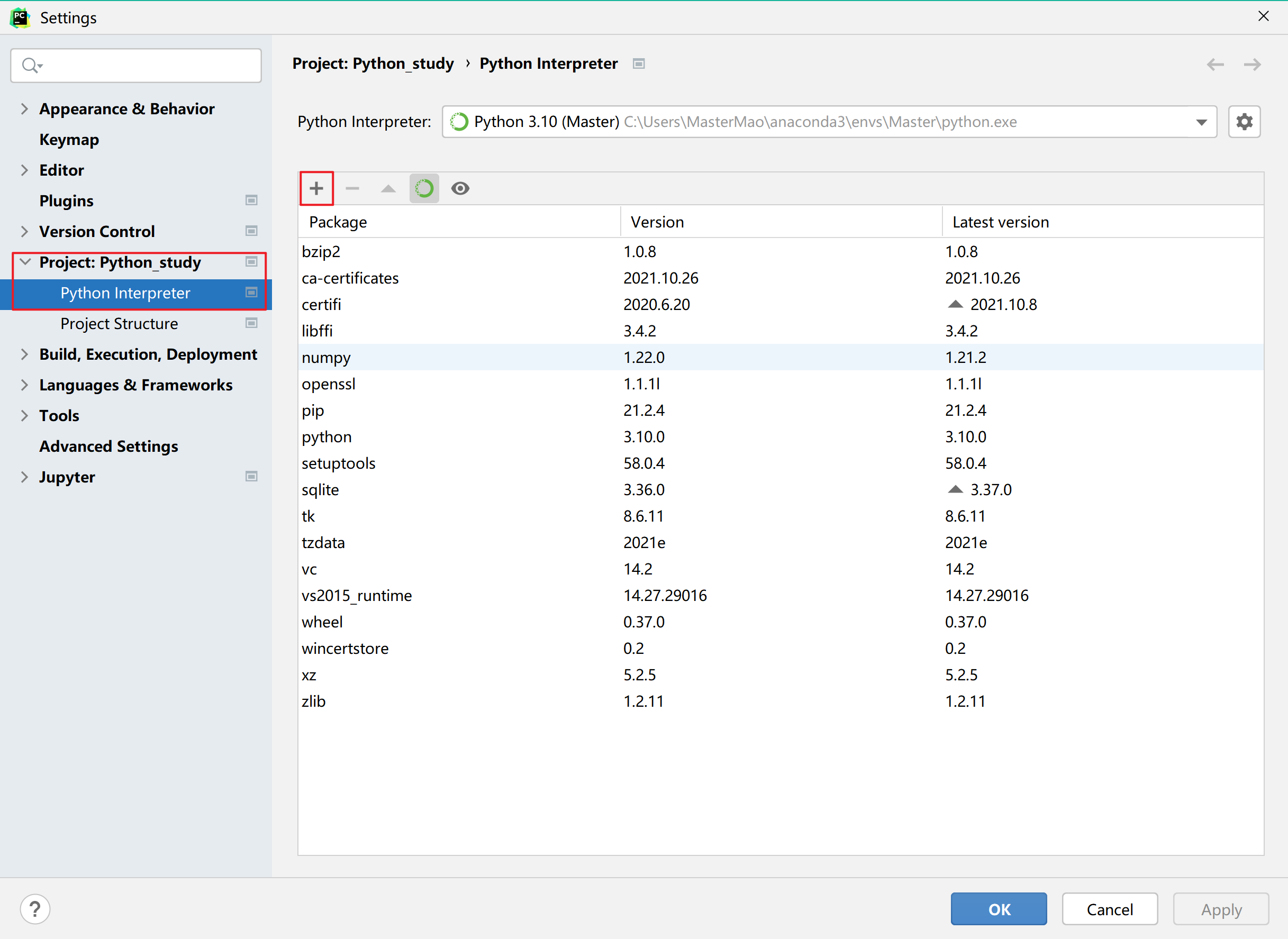
第一步,PyCharm——File——Settings——定位到工程“Project:xxxx”——Project Interpreter——点击加号
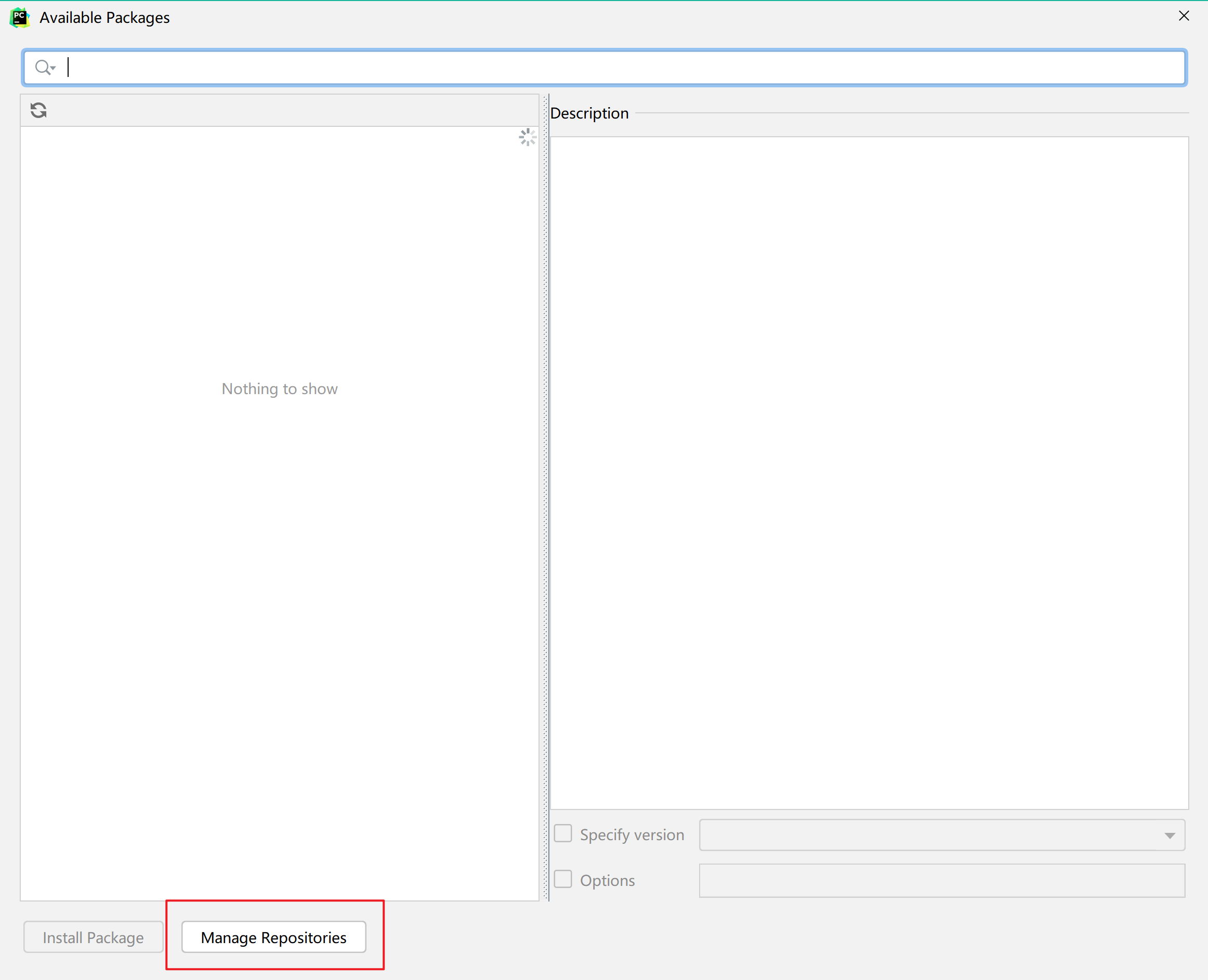
第二步,点击Manage Repositories
第三步,添加镜像源
方法3:全局pip配置(推荐)2
Windows下,新建文件:C:\Users\MasterMao\pip\pip.ini,以清华镜像源为例:
[global]
index-url = https://pypi.tuna.tsinghua.edu.cn/simple
[install]
trusted-host = pypi.tuna.tsinghua.edu.cn
Linux/MacOS下,新建文件并编辑 ~/.pip/pip.conf:
[global]
index-url = https://pypi.tuna.tsinghua.edu.cn/simple
[install]
trusted-host = pypi.tuna.tsinghua.edu.cn
-
RUNOOB.COM,pip 使用国内镜像源 ↩
-
CSDN, @魏有心,PyCharm解决安装慢的问题 更换pip源为国内源 ↩